
It is possible to cancel your EchoRivo subscription.
The tutorial will help you with it.
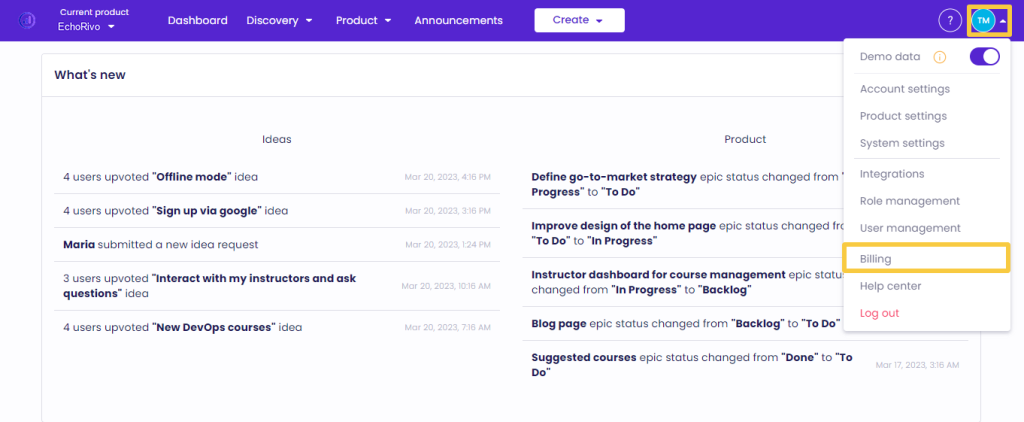
From your EchoRivo Dashboard open the Settings tab and click Billing.
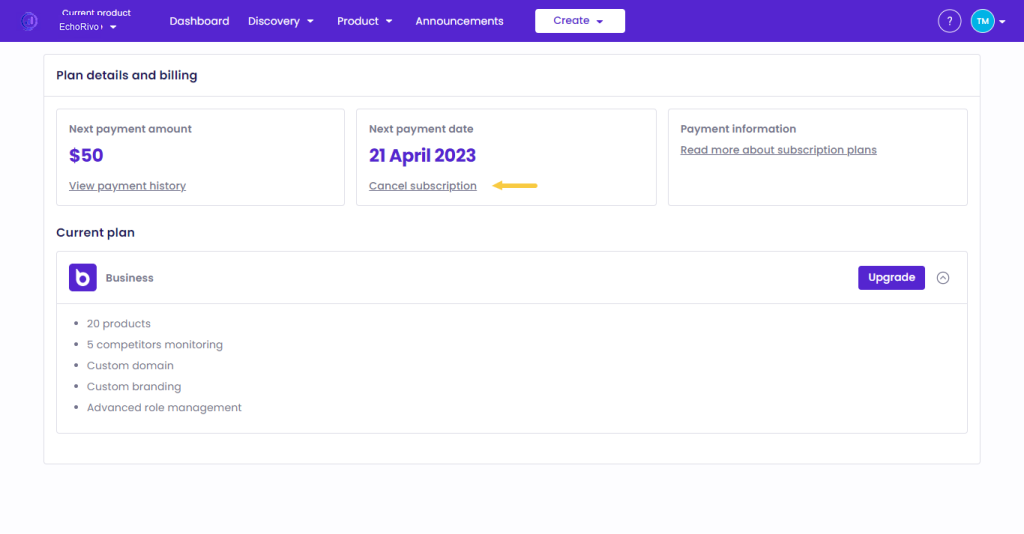
Click Cancel subscription.
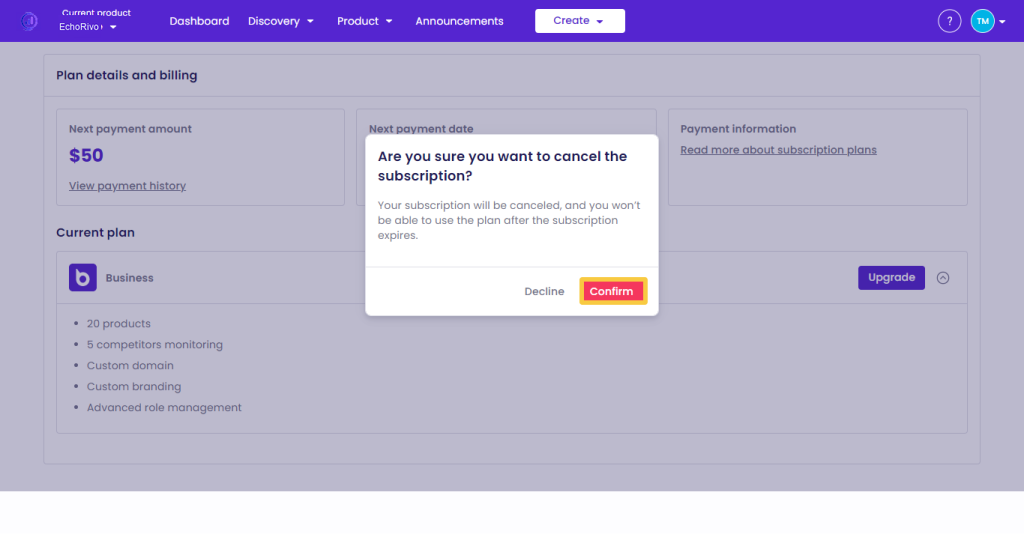
Press Confirm to proceed.
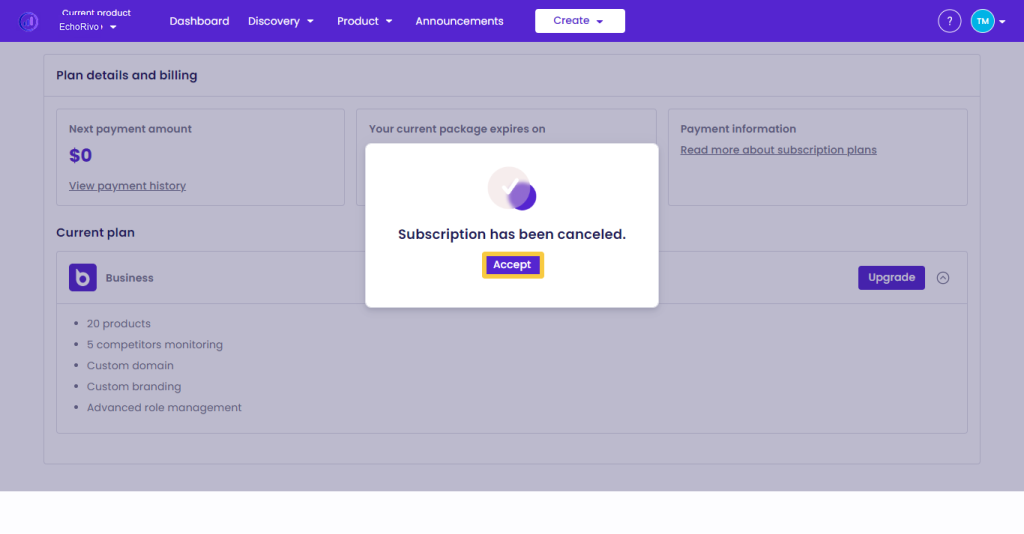
The subscription will be canceled with the following notice:
That’s it! Those were the steps to cancel your EchoRivo subscription.