
It is possible to connect the EchoRivo account with Trello to import the Trello cards to EchoRivo. The imported cards can be found under epics.
The tutorial will show how to connect the EchoRivo account to Trello and how to import cards.
Steps to connect your EchoRivo account with Trello #
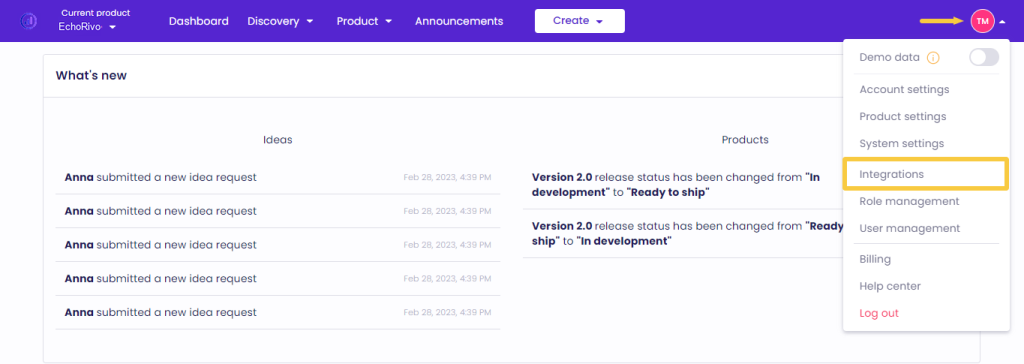
From your EchoRivo Dashboard open the Settings tab and click Integrations.
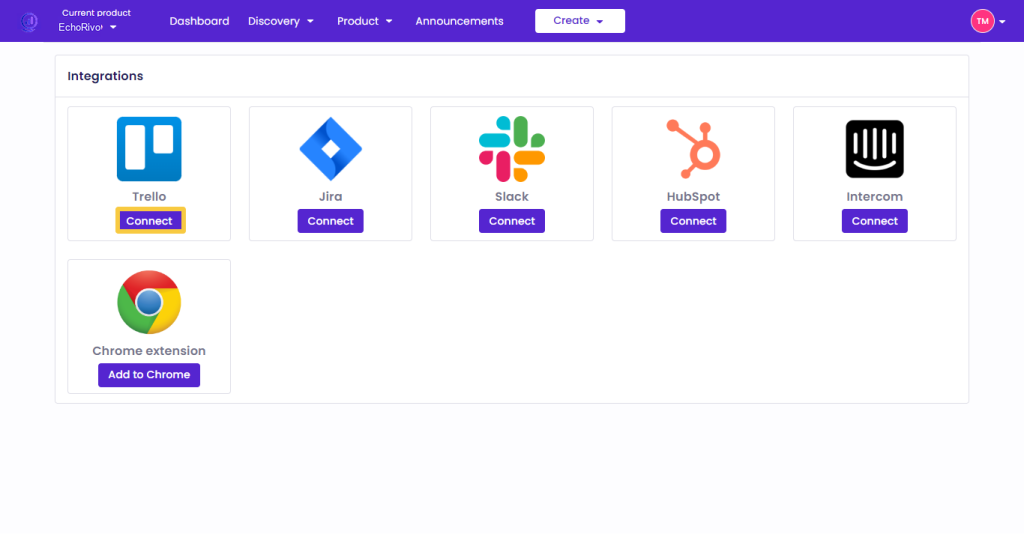
Choose Trello from the list and click Connect.
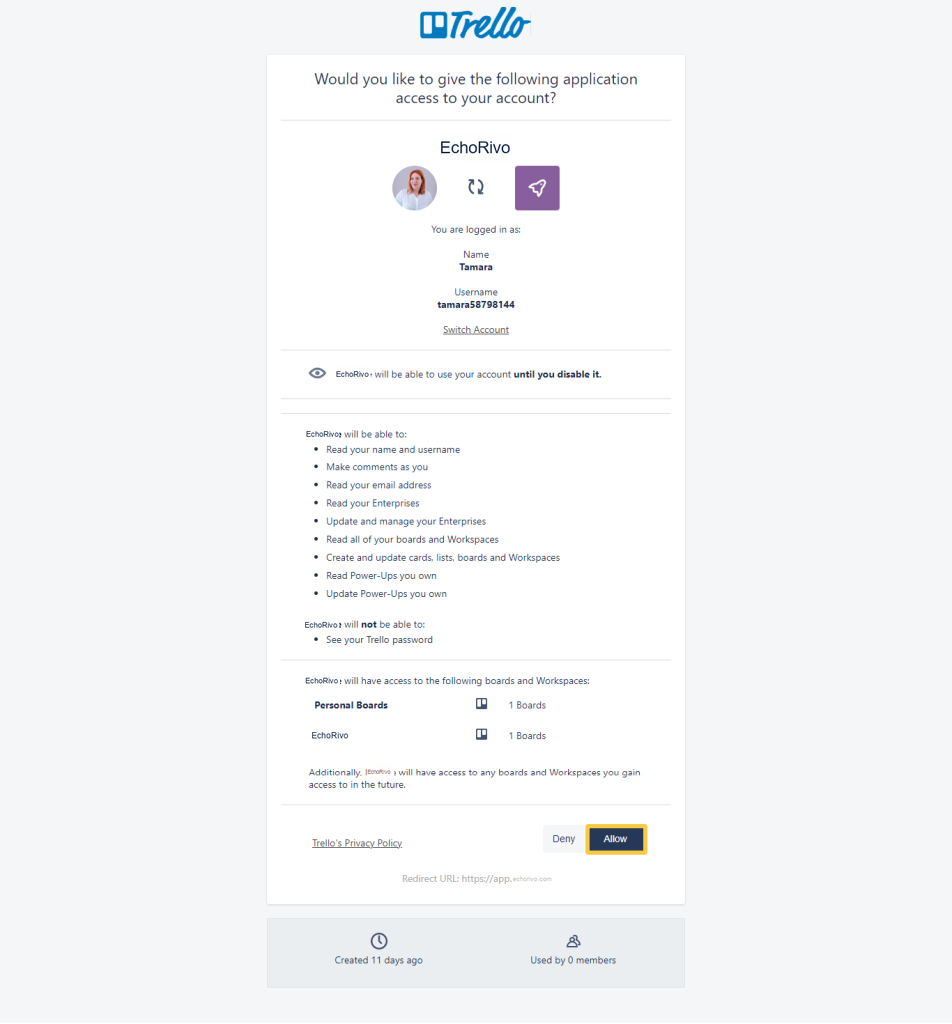
Log in to your Trello account and press Allow to finalize the connection process.
Steps to import Trello cards into your EchoRivo account #
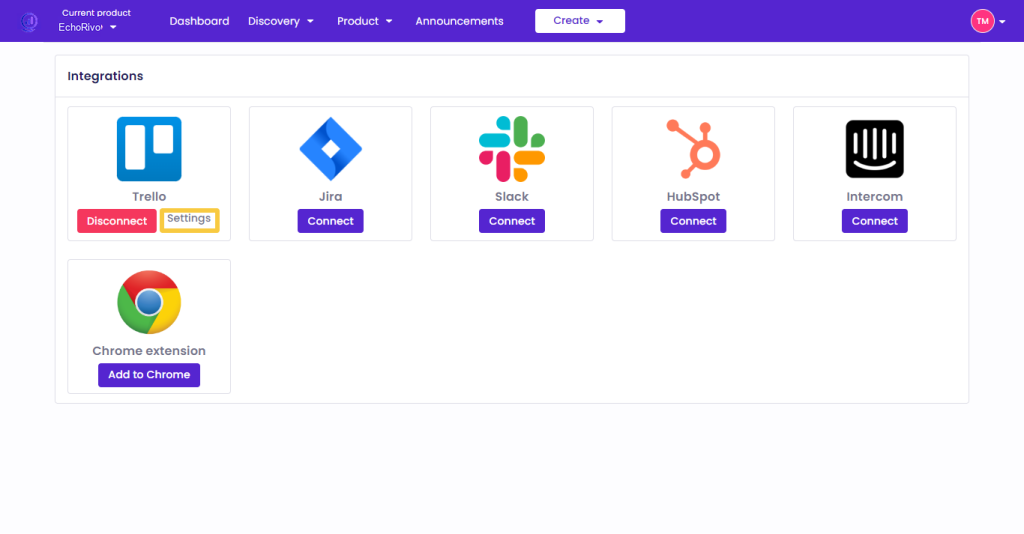
From the Trello integration press Settings.
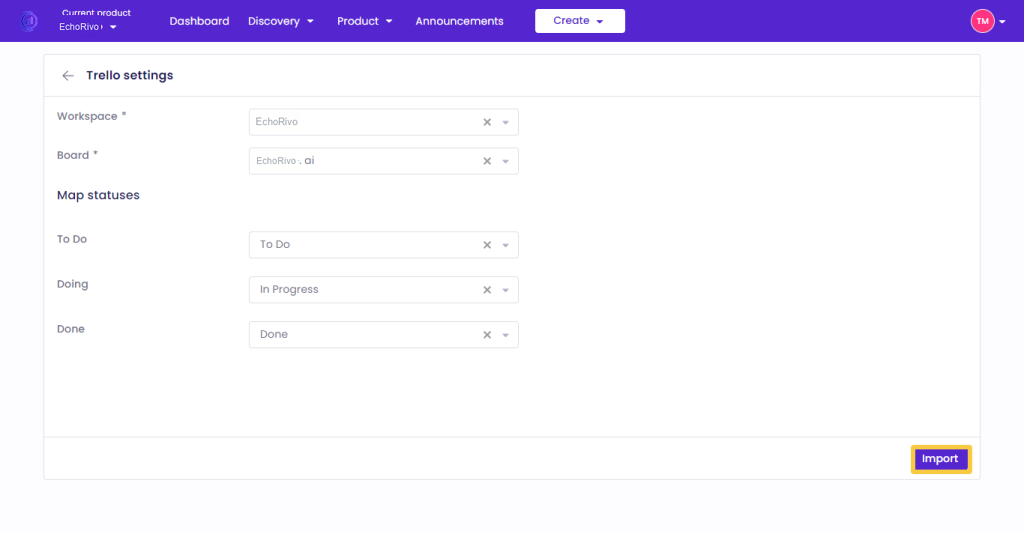
From the Trello Settings select the appropriate Workspace and Board. Map the columns of your Trello cards with the statuses of the EchoRivo epics and press Import.
To check the imported cards, from your EchoRivo account open the Epics of the Product section.
That’s it! Those were the steps to integrate EchoRivo with Trello.