
It is possible to connect the EchoRivo account with Jira to import the Jira epics to EchoRivo and vice versa.
The tutorial will show how to connect the EchoRivo account to Jira and how to import epics.
Steps to connect your EchoRivo account with Jira #
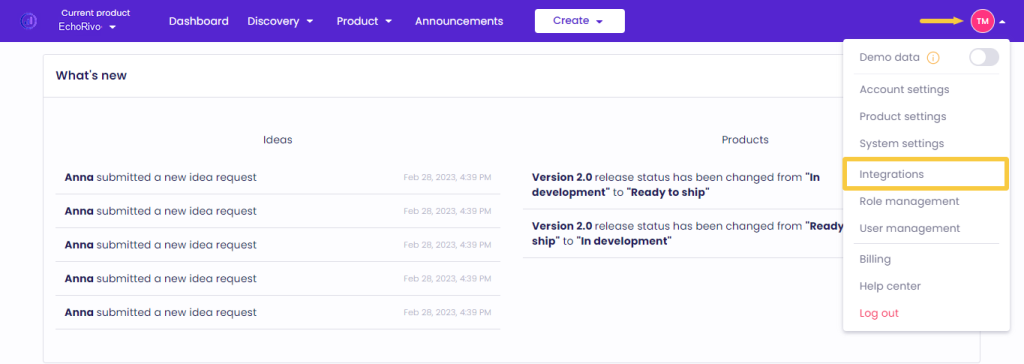
From your EchoRivo Dashboard open the Settings tab and click Integrations.
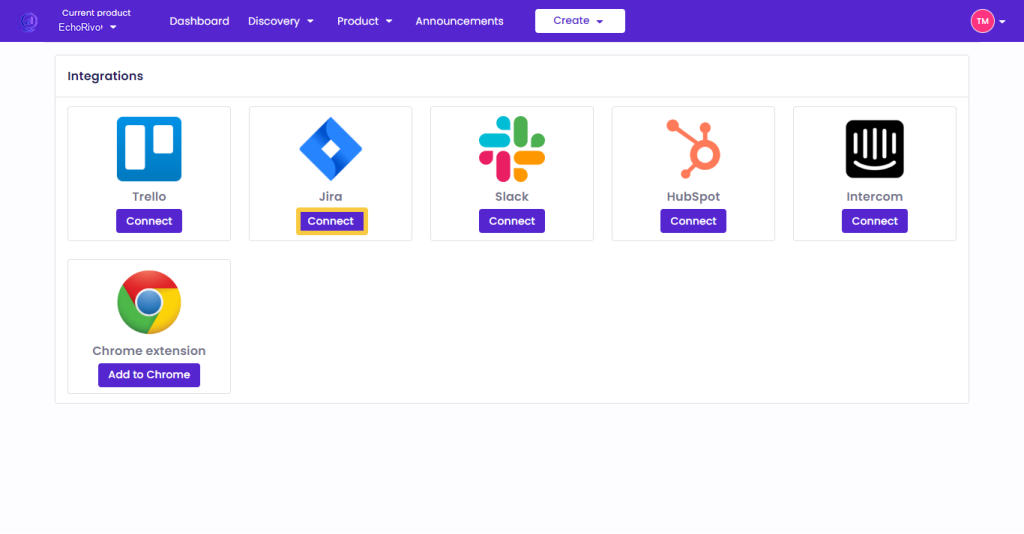
Choose Jira from the list and click Connect.
Log in to your Atlassian account and press Accept.

Steps to import Jira epics into your EchoRivo account #
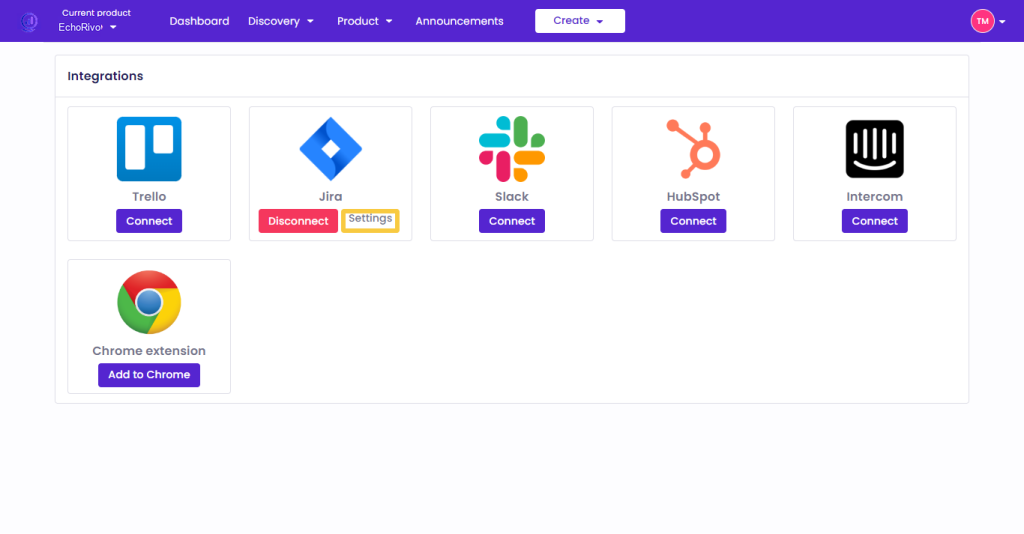
From the Jira integration press Settings.
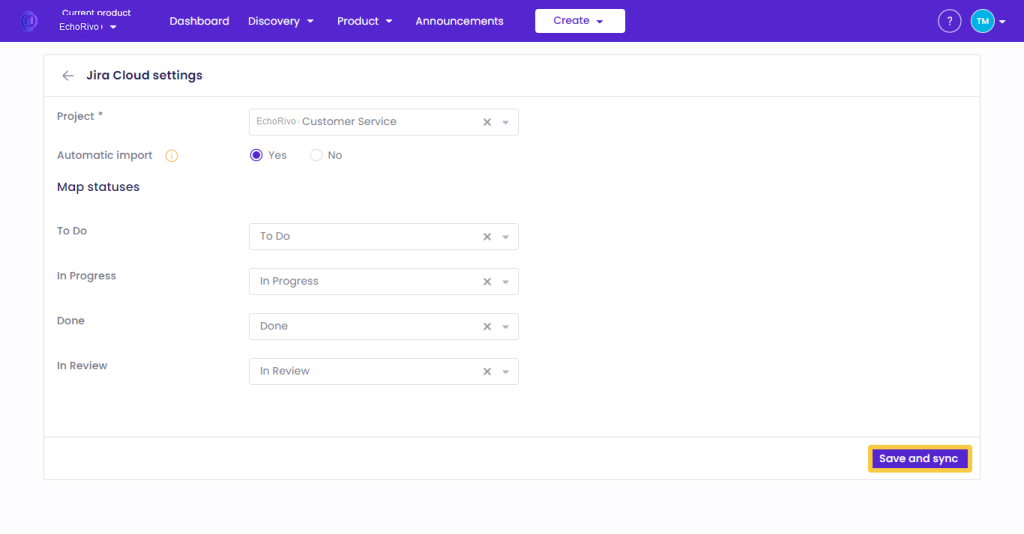
From the Jira Cloud Settings select the appropriate Project. Choose to automatically import newly created epics in Jira, map the statuses of your Jira epics with the statuses of the EchoRivo epics, and press Save and sync.
To check the imported epics, from your EchoRivo account open the Epics of the Product section.
In order to import the EchoRivo epics to Jira, please, ensure to enable the appropriate option from the epics settings as shown here.
That’s it! Those were the steps to integrate EchoRivo with Jira.