It is possible to delete your EchoRivo account if required.
The tutorial will guide you through the steps on how to achieve the desired result.
Steps to delete the EchoRivo account #
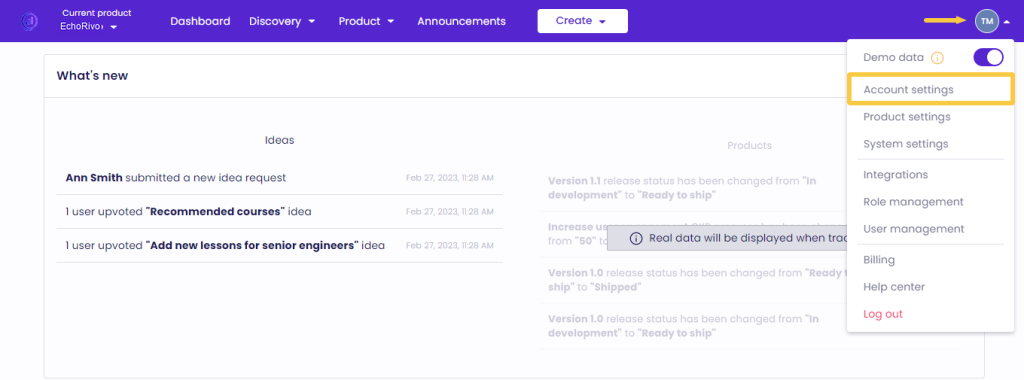
From your EchoRivo Dashboard open the Settings tab and click Account settings.
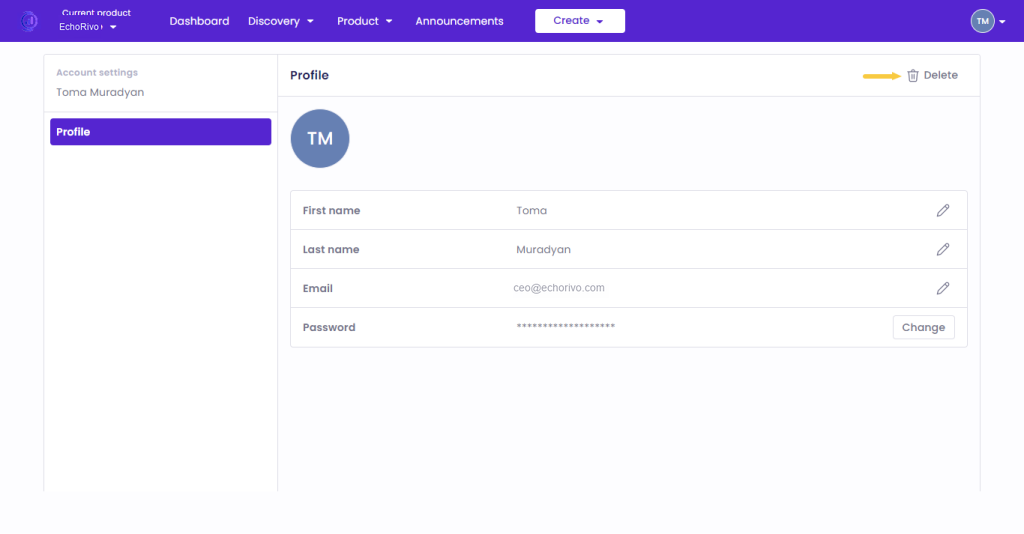
Click Delete.
Press Confirm to finalize the deletion.
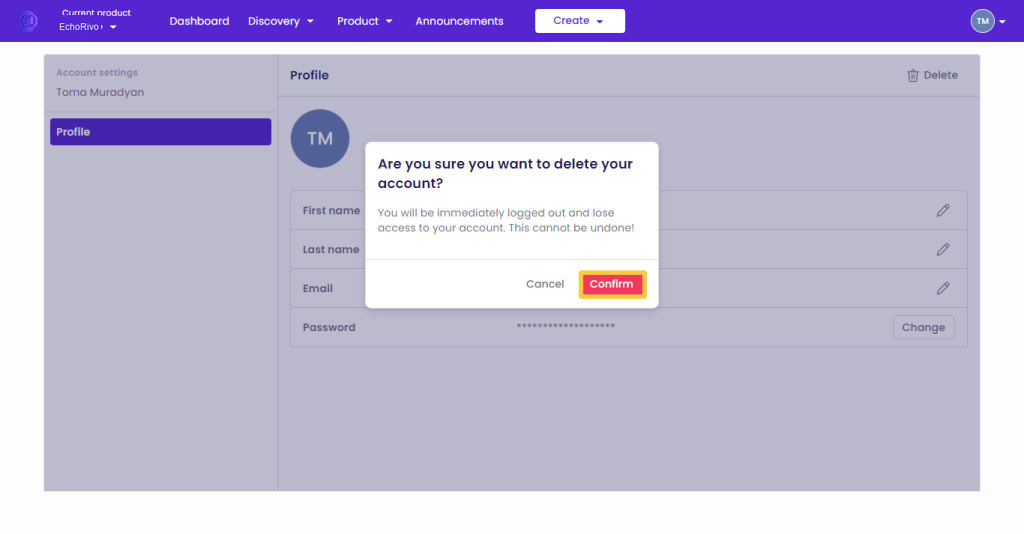
That’s it! You will be logged out automatically and your data will be erased without the restoration possibility.